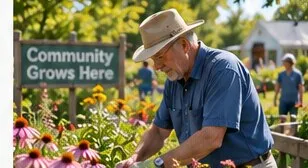
The Good Stuff
What do you do with a Tuesday?
From volunteering to local clubs, these are the everyday moments that make a place feel like home.
Tech support
You can. It takes about ten seconds. But before you do, a brief and slightly inconvenient word about what else you would be switching off.

Unplug the router. That is it. There is usually a power button on the back, and if there is not, the wall socket works exactly as well. Everything in the house loses Wi-Fi immediately, and whoever called you "The Olds" will discover this within roughly ninety seconds.
Plugging it back in takes a minute or two to come good. Nothing breaks. No settings are lost.
This is the part nobody mentions. In most houses the router is now holding up a surprising amount:
Your own television
If you stream anything at all, it went off with everything else.
The thermostat
Smart thermostats keep heating without the network, but you lose the app and the schedule changes.
The doorbell and any cameras
These stop recording entirely. Worth knowing if you rely on them.
A medical alert or fall detector
Check this one before you touch anything. Some run on the home network, and this is the single good reason not to do any of it.
Video calls with everyone else
Including the grandchildren who have not said anything about your age.
Most routers, and nearly every internet provider's phone app, will let you pause a single device rather than the whole house. You find the grandchild's phone or tablet in the list and switch it off on its own. The house keeps working. They notice immediately. It is extremely satisfying and entirely reversible.
The same tools will usually let you put a device on a schedule — off at ten, back on at seven. Set once, applies nightly, no further involvement from you.
If you cannot find any of that, a guest network is the backdoor: put visiting devices on the guest network, and turning that off touches nothing of yours.
"The Olds" is affection wearing an unhelpful costume. It is also, reliably, a phase. The families who come out of it best are the ones who treated it as funny rather than as a slight, which is annoying advice and happens to be true.
Leave the router alone. Learn where the pause button is, so they know you could. That is the whole win.
The Good Stuff
From volunteering to local clubs, these are the everyday moments that make a place feel like home.
The Good Stuff
Practical ideas for meeting people and building a sense of belonging.
The Good Stuff
A city with a square of chocolate, custard and crumb named after it. We took the assignment seriously.